JOIN WHATSAPP
STORIES

VKSU 5th Semester Admit Card 2025 Released – Check Hall Ticket Details

VKSU 5th Semester Admit Card 2025 Released – Check Hall Ticket Details

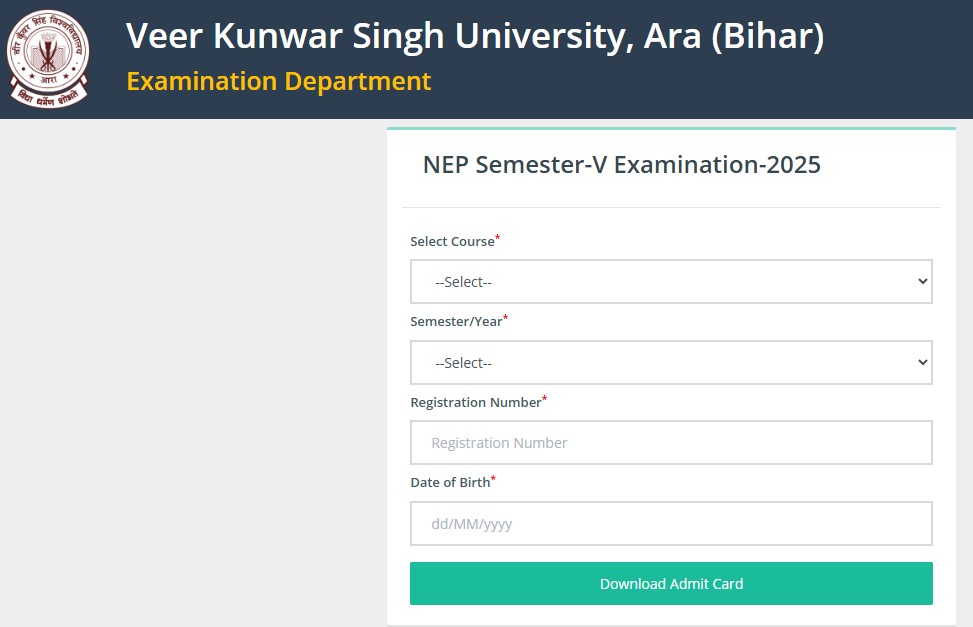
The Veer Kunwar Singh University (VKSU) has officially released the admit cards for the 5th semester examinations of 2025. Students can now download their hall tickets directly from the university’s official website, vksuexams.com. The admit card is a crucial document required for appearing in the exams, containing essential details like exam dates, timings, and venue information.

I am writing about this topic because many students eagerly await their VKSU admit cards to plan their exam schedules and ensure smooth participation. Understanding how to download and verify the hall ticket is vital to avoid last-minute issues. Additionally, sharing detailed information helps students check all the necessary instructions, ensuring they are fully prepared for the exam day. This article provides a complete guide for VKSU students to access their admit cards, verify details, and understand the steps needed to appear for their 5th semester examinations without hassle.

How to Download VKSU 5th Semester Admit Card 2025

  • Step 1: Visit the official VKSU exams website: vksuexams.com
  • Step 2: Look for the “Admit Card 2025 – 5th Semester” link on the homepage.
  • Step 3: Enter your registration number, date of birth, and other required details.
  • Step 4: Click on “Submit” to generate your admit card.
  • Step 5: Download and print multiple copies for reference on exam day.

Download Admit Card: Click Here

Details Mentioned on the Hall Ticket

  • Student’s full name and roll number
  • Course and semester information
  • Exam dates and timing for each subject
  • Exam centre name and address
  • Instructions and guidelines for appearing in exams

Important Instructions

  • Carry a printed copy of the admit card to the examination hall.
  • Ensure that all personal and exam details on the hall ticket are correct.
  • Follow the exam rules mentioned on the admit card to avoid disqualification.
  • Reach the exam centre at least 30 minutes before the scheduled time.
Leave a Comment

End of Article

RBI Assistant Admit Card 2026 Released: Download Prelims Hall Ticket, Exam on April 11 and 13

RBI Assistant Admit Card 2026 Released: Download Prelims Hall Ticket, Exam on April 11 and 13

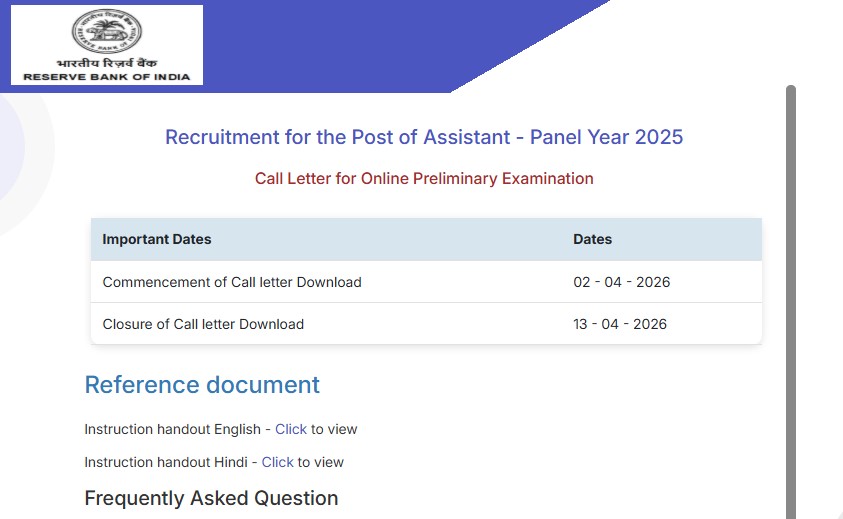
The Reserve Bank of India (RBI) has released the Assistant Prelims Admit Card 2026 for candidates who have applied for the recruitment exam. Candidates can now download their hall tickets from the official website ahead of the examination scheduled on April 11 and April 13, 2026. This is an important update for aspirants preparing for one of the most competitive banking exams in the country, as the admit card is mandatory to appear in the prelims examination.

I am writing about this because many candidates often wait till the last moment to download their admit cards and end up facing unnecessary issues. From what I have observed, being well-prepared with documents and exam details can make a big difference on the actual exam day. This article will help you understand how to download the admit card, check your exam schedule, and follow important instructions without any confusion.

RBI Assistant Admit Card 2026 Overview

The admit card for the RBI Assistant Preliminary Examination is now available online.

  • Conducting Body: Reserve Bank of India (RBI)
  • Exam Name: RBI Assistant Recruitment 2026
  • Stage: Preliminary Examination
  • Admit Card Status: Released
  • Mode: Online

Candidates should download their admit cards as soon as possible to avoid last-minute stress.

RBI Assistant Prelims Exam Date 2026

The RBI Assistant Preliminary exam will be conducted on two different dates.

  • April 11, 2026
  • April 13, 2026

The exam will be held in multiple shifts, and candidates must check their specific timing mentioned on the admit card.

How to Download RBI Assistant Admit Card 2026

Follow these simple steps to download your hall ticket:

  • Visit the official RBI website
  • Go to the “Opportunities” or “Careers” section
  • Click on the RBI Assistant Admit Card 2026 link
  • Enter your registration number and password/date of birth
  • Submit the details
  • Download and print the admit card

Download Admit Card: Click Here

It is always advisable to keep more than one printed copy.

Details Mentioned on Admit Card

After downloading the admit card, candidates should carefully verify the following details:

  • Candidate’s name
  • Roll number and registration number
  • Exam date and shift timing
  • Exam centre name and address
  • Reporting time
  • Important instructions

In case of any mistake, candidates should contact the authorities immediately.

Leave a Comment

End of Article

Loading more posts...